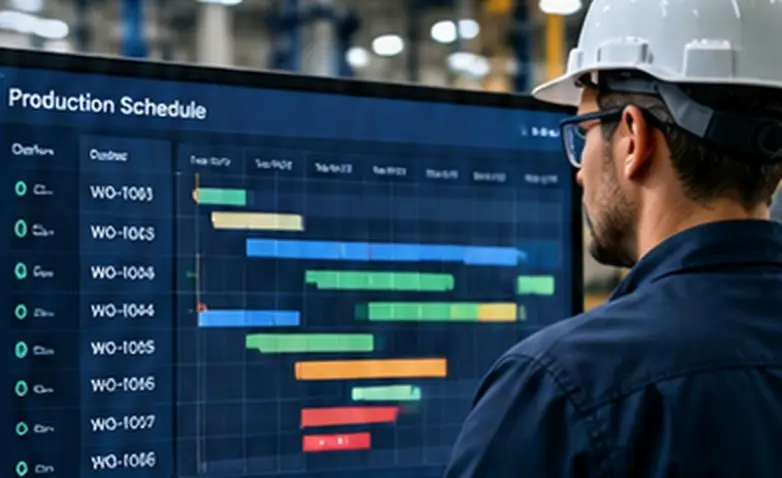
See released, queued, running, held, inspected and completed jobs in one view.
24 Years of Software Development & Integration
100% U.S.-Based
Marine-Owned
Business First
Industrial Automation / Production Visibility
Production Scheduling & WIP Tracking
Know where every order stands, what is waiting, and what the schedule can actually deliver. Connect production plans to real shop-floor conditions—so you can find bottlenecks, recover capacity and get more finished product out the door.
Quick Answer — What is production scheduling and WIP tracking?
Production scheduling determines when and where jobs should run. Work-in-process (WIP) tracking shows where jobs really are, which operations are complete, and what is delayed or waiting. Connecting the two helps manufacturers make scheduling decisions using actual production conditions instead of outdated spreadsheets and assumptions.
Why Production Scheduling & WIP Tracking Matter
Your schedule says what should happen. Your WIP shows what is happening.
Orders are released. Due dates are promised. But work may be waiting for material, a machine, an inspection or a decision. When those delays are invisible, the schedule looks healthy until the shipment is late.
Ayoka connects job progress, shop-floor signals and business information so planners can see the difference between the plan and the actual operation.
Order statusQueue visibilityCapacity
constraintsSchedule changes
Identify work held by material shortages, equipment downtime, rework or approvals.
Compare scheduled operations with real progress and available capacity.
See where queues build and which work center is limiting throughput.
Surface at-risk orders earlier so teams can make informed trade-offs.
Connect production events, scans and operator input instead of rekeying status.
Production Scheduling Dashboard
See the order. See the hold. See the next move.
A connected scheduling view brings work-order status, queue time, due dates and capacity signals into one operational picture. The sample below illustrates the type of visibility a manufacturer can build around its own process.
Production controlILLUSTRATIVE DASHBOARD
Active jobs24
Waiting7
At risk3
| Order | Work center | Due | Status |
|---|---|---|---|
| WO-1048 | Cutting | Today | Running |
| WO-1052 | Assembly | Tomorrow | Waiting on parts |
| WO-1055 | Inspection | Tomorrow | Quality hold |
| WO-1060 | Packaging | Friday | Ready |
Example only; values are illustrative, not Ayoka customer results.
Production visibility built around your workflow
Not every operation needs a complex scheduling engine. Sometimes the biggest improvement is knowing that a job has stopped, why it stopped and who needs to act.
Start with the information your team actually uses: work orders, operations, queue age, estimated completion, resource availability and exception reasons. Then connect the updates that make those views reliable.
Talk through your scheduling bottleneck →Shop Floor to Enterprise
The connection is the capability.
Production scheduling works best when the plan can see the shop floor. Each layer provides part of the picture; click through to the related capabilities.
Winning is in the WIP™
Find the work that is waiting—not just the work that is moving.
Work in process is where material, labor and overhead are committed before finished product ships. A delayed order can tie up capacity, cash and downstream operations even when every individual machine looks busy.
When the schedule reflects actual WIP, managers can distinguish a machine problem from a material shortage, a quality hold, an overloaded work center or a missing handoff.
Explore MES & manufacturing operations software →
What Ayoka Connects
Make existing systems work together.
A scheduling view becomes more useful when the information behind it is connected. Ayoka starts with the systems and data already available and fills only the gaps needed for better decisions.
Work orders & ERPBring together order priorities, due
dates, routings, item information and approved production updates.
PLCs & machine eventsUse available machine counts, status
and downtime signals where they meaningfully reflect progress.
MES & shop-floor reportingCapture operation starts and
completions, quantities, labor, scrap and handoffs.
Materials & qualityShow shortages, inspection holds, rework
and other reasons a job cannot move.
Scheduling & dashboardsTurn connected data into queues,
exceptions, estimated completion dates and actionable views.
Start With the Process, Not a Product
Don't automate an inaccurate schedule.
Ayoka begins with the real constraint: where work is delayed, where status is missing and which decisions depend on information no one trusts.
Then the team identifies the minimum connections needed to keep production status current, surface exceptions and make scheduling more useful. Legacy equipment, ERP systems and existing spreadsheets may remain part of the solution.
Map the handoffsIdentify data gapsConnect
actualsImprove in phases
The Third Way
Rent Custom Software for scheduling and WIP.
You don't have to reshape your entire operation around a rigid scheduling product. Ayoka's Rent Custom Software model provides software configured to your workflow for a monthly fee, at a fraction of the cost of traditional solutions.
- Built around the way your orders move
- Connects to systems you already use
- Supports the scheduling and WIP views you need
- Can expand as your operation changes
Manufacturing Experience
24+ years connecting production processes and business systems.
Ayoka brings industrial equipment, PLC integration, production data, databases, dashboards and business workflows together around the operational constraint. The goal is to help teams see what's happening and move more work through the operation.
Production visibility
Make status and exceptions visible across departments and work centers.
Connected execution
Link the schedule to machine events, operator updates and MES workflows.
Business context
Connect production progress to order commitments, inventory and cost information.
How This Applies to Your Operation
Questions about production scheduling and WIP tracking.
What is production scheduling and WIP tracking?
Production scheduling plans the order and timing of work. Work-in-process (WIP) tracking shows
where each job actually is, what has been completed, what is waiting and why. Connecting both
gives planners a schedule grounded in current shop-floor conditions.
How can I see where each manufacturing order stands?
Connect work orders to operation-level status, timestamps, quantities and reasons for holds. A
shared view can show which orders are queued, running, blocked, in inspection or ready for the
next step.
Can production schedules update when a machine goes down?
Yes. When downtime and actual progress are captured, planners can see which operations are
affected and adjust priorities and estimated completion dates. The exact degree of automatic
rescheduling depends on the data and workflow.
How do PLCs and SCADA support WIP tracking?
PLCs and SCADA can provide machine status, counts, alarms and process events. Those signals can
be combined with work-order, operator and quality information to establish meaningful job
progress.
Do we need MES to track work in process?
Not always. A focused scheduling and WIP layer may connect existing ERP, spreadsheets, PLCs and
operator updates. A full MES may be appropriate when broader execution, traceability or quality
functions are needed.
Can this connect to our existing ERP or accounting system?
Integration can exchange work orders, item information, due dates, completed quantities and
approved production updates using supported APIs, databases or other appropriate interfaces.
How do we identify bottlenecks and late orders?
Compare planned versus actual operation progress, queue age, available capacity, downtime and
hold reasons. This makes it easier to identify the work center limiting throughput and the
orders at risk.
Can legacy equipment be included?
Often, yes. Depending on the equipment, progress can come from existing control signals,
gateways, barcode scans or simple operator updates without replacing every machine.
What is the difference between production scheduling and capacity planning?
Capacity planning asks whether resources can meet expected demand. Production scheduling assigns
work to specific resources and time windows. WIP tracking provides actual conditions so both
decisions can be corrected as work progresses.
How does Rent Custom Software apply to scheduling and WIP?
Ayoka can configure a connected workflow around the operation and provide it through its Rent
Custom Software monthly model, rather than requiring a conventional off-the-shelf purchase or a
full build-from-scratch project.
Related Manufacturing Solutions
Explore the systems around your production schedule.
Scheduling and WIP tracking work alongside the systems that capture machine events, manage production execution and connect the operation to the business.


Start the Conversation
What is holding up your production schedule?
Tell us where orders get stuck, what your planners can't see and which systems aren't talking. We'll start with the process.
Start the Conversation
Tell us what you’re seeing. We’ll start with the operational problem and help determine what is getting in the way.